

Quick answer: Set up the PC version, build one coherent Resonator team and learn the combat rhythm without wasting early resources.
Wuthering Waves gives you a large world, fast character switching and several upgrade systems almost immediately. The cleanest start is not to optimize everything. Prepare the PC version properly, learn one three-character team and use the opening hours to understand dodges, counters and Echo Skills.
Prepare the PC before the full download
The Steam listing asks for 150 GB of available storage. Its minimum specification includes Windows 10 64-bit, 16 GB of RAM and a GTX 1060, RX 570 or Intel Arc A380. The recommended target moves to 32 GB of RAM and an RTX 2060, RX 5700 XT or Arc A750. Steam supports an HDD at minimum but recommends an SSD, while the recommended specification requires one.
Leave additional free space for updates and temporary installation files. Install the game on an SSD when possible, update the graphics driver and close unnecessary launchers before the first session. A stable baseline matters more than selecting the highest preset immediately.
If the opening areas hitch, use our guide to PC game stutter, frame time and shader compilation before lowering every setting at once.
Build one team with three clear jobs
Resonators have distinct abilities, but an early team becomes easier to operate when every slot has a simple purpose. Choose one character to spend most of the field time dealing damage, one who prepares buffs or another advantage, and one who adds healing, protection or a useful secondary effect.
Do not invest evenly in every character you obtain. Keep one functional team near the current progression requirement. A focused squad reaches useful damage thresholds sooner and leaves enough materials for weapons and Echoes that solve a real problem.
Learn the combat rhythm before chasing damage
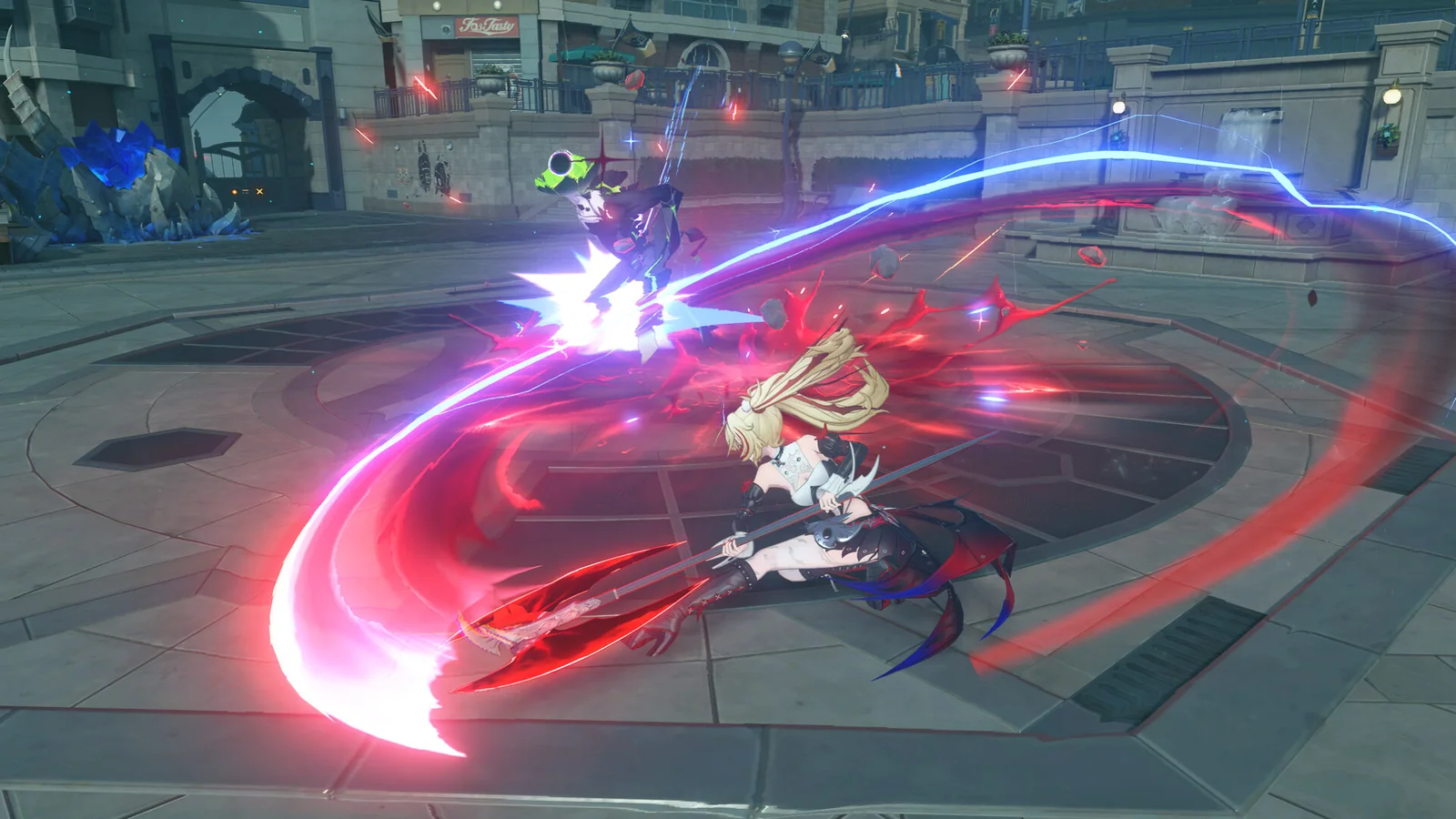
Wuthering Waves rewards timing. Extreme Evasion, Dodge Counter, Echo Skills and character transitions make combat feel faster than a traditional action RPG, but pressing every available button can hide why an encounter worked.
Practice one short sequence against a familiar enemy. Read the attack, dodge at the correct moment, use the counter, prepare the next character and finish with the main damage window. Repeat it until the order feels deliberate. Add a longer combo only after the short version remains reliable under pressure.

Treat the Intro and Outro Skills as a handoff
Character switching is most useful when one Resonator prepares the next. Watch the Concerto Energy state and learn what each Intro and Outro Skill contributes. A good handoff can create a safer opening, apply a buff or move the next damage dealer directly into position.
Start with one predictable rotation instead of changing characters whenever an icon lights up. The team should feel like a connected sequence, not three separate characters competing for field time.
Use Echoes for a job, not just a higher number
Echoes add stats and an active Echo Skill. Early on, choose an effect that supports the current team plan. A dependable damage, control or defensive option is more valuable than an impressive-looking Echo that interrupts the rotation or solves no current need.
Avoid spending rare upgrade materials on every temporary piece. Equip workable sets, test the team in ordinary combat and save deeper optimization for the point where the main characters and weapons are settled.
Explore with a short checklist
The official description highlights parkour, wall movement and high-mobility exploration. Use that freedom to clear a small area with a purpose. Activate nearby travel points, collect resources on the route and mark anything that requires a later ability or stronger team.
Long, unfocused collection sessions can fill the map with unfinished tasks. Completing one compact route gives you a better sense of movement, combat difficulty and the materials your active team actually consumes.

Spend early resources with restraint
Prioritize the active damage dealer, the weapon that character uses and the support upgrades that improve the full rotation. Stop investing when a temporary character or item is already doing its job. You can return after the account has enough information to make a lasting choice.
Premium currency and limited pulls deserve the same patience. Test characters through available trials and read their role before committing. A new Resonator is useful only when the account can build and field that character.
Choose a sensible performance target
Start at the display's native resolution and choose a frame-rate target the PC can hold during combat and traversal. Lower the expensive settings one at a time, then repeat the same route. Reflections, shadows, effects and view distance are better test candidates than a random collection of low settings.
When image quality becomes soft, our DLSS, FSR and XeSS explainer shows how reconstruction modes trade clarity for performance. Keep the mode that improves stability without making motion or fine detail distracting.
First-session checklist
- Confirm that the game is installed on the intended drive.
- Pick one main damage dealer and two supporting roles.
- Practice one dodge, counter and switch sequence.
- Equip Echoes that support the current rotation.
- Upgrade the active team before widening the roster.
- Test performance on the same combat and traversal route.
Wuthering Waves becomes easier to read once exploration, combat and upgrades support the same three-character team. Build that foundation first. The larger roster and deeper Echo optimization can wait until the basic rotation feels dependable.
If you are still choosing what to install, compare it with the other best free PC games worth playing in 2026. The list separates open-world games, tactical shooters and long-term strategy picks by the kind of session they offer.
Official references: Wuthering Waves on Steam and the official Wuthering Waves website.
See Solaris-3 in motion
This official release trailer introduces Wuthering Waves, its world and its fast action RPG presentation.